下载与运行

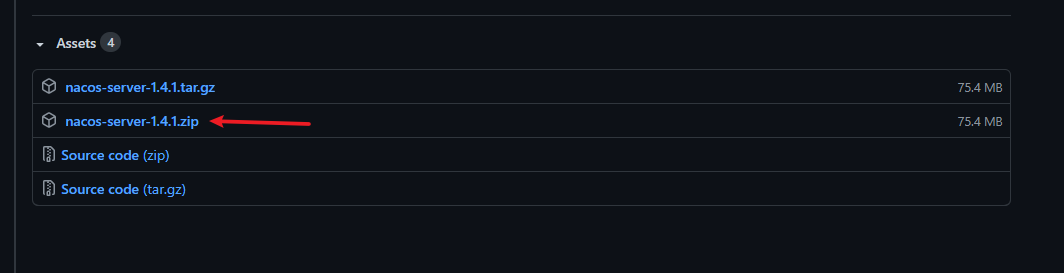
https://github.com/alibaba/nacos/releases

如果下载慢,可复制下面链接到迅雷等下载器下载

https://github.com.cnpmjs.org/alibaba/nacos/releases/download/1.4.1/nacos-server-1.4.1.zip

进入bin目录执行命令,以单机模式启动nacos

1
2
3
4
5
6
7
8
9
10
11
12
13
14
15
16
17
18
19
ddd@DESKTOP-OKBQRKQ MINGW64 /d/nacos-server-1.4.1/nacos/bin
$ ./startup.cmd -m standalone
"nacos is starting with standalone"

,--.
,--.'|
,--,: : | Nacos 1.4.1
,`--.'`| ' : ,---. Running in stand alone mode, All function modules
| : : | | ' ,'\ .--.--. Port: 8848
: | \ | : ,--.--. ,---. / / | / / ' Pid: 13260
| : ' '; | / \ / \. ; ,. :| : /`./ Console: http://192.168.56.1:8848/nacos/index.html
' ' ;. ;.--. .-. | / / '' | |: :| : ;_
| | | \ | \__\/: . .. ' / ' | .; : \ \ `. https://nacos.io
' : | ; .' ," .--.; |' ; :__| : | `----. \
| | '`--' / / ,. |' | '.'|\ \ / / /`--' /
' : | ; : .' \ : : `----' '--'. /
; |.' | , .-./\ \ / `--'---'
'---' `--`---' `----'

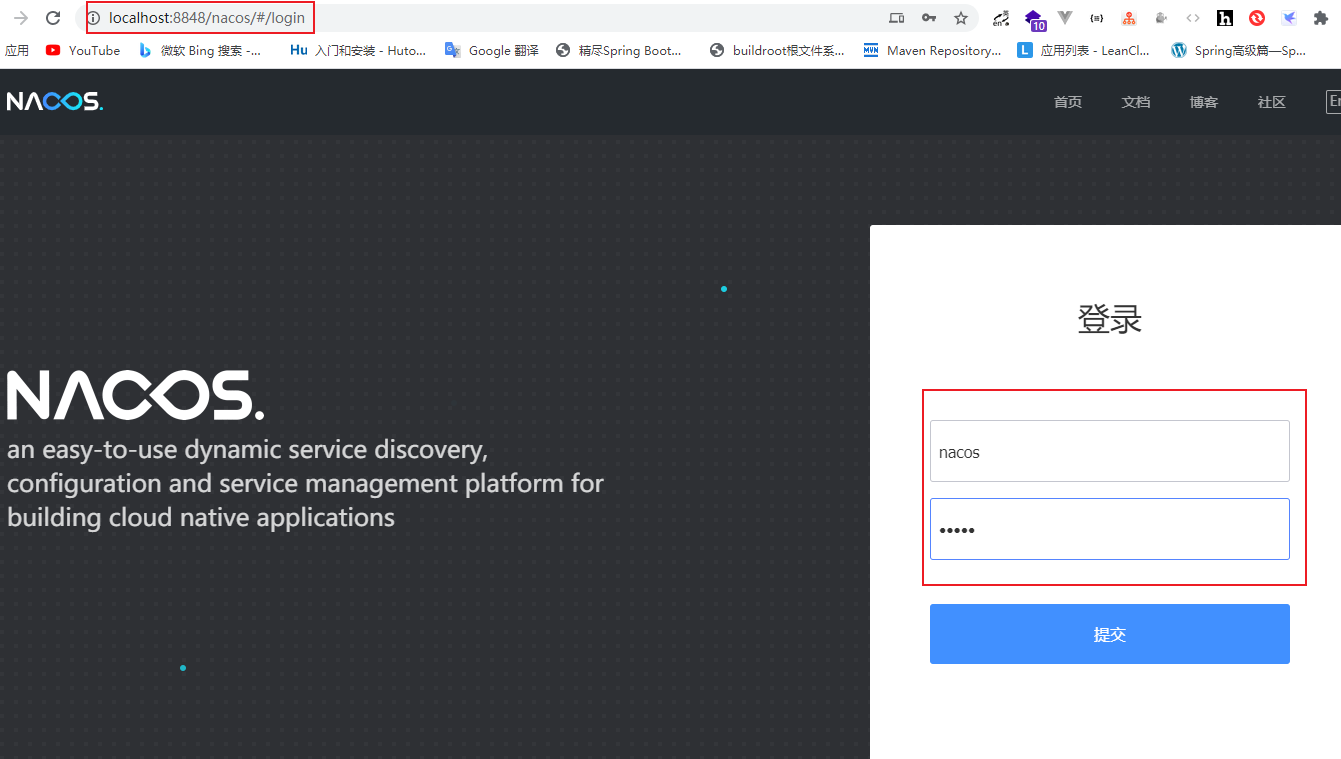
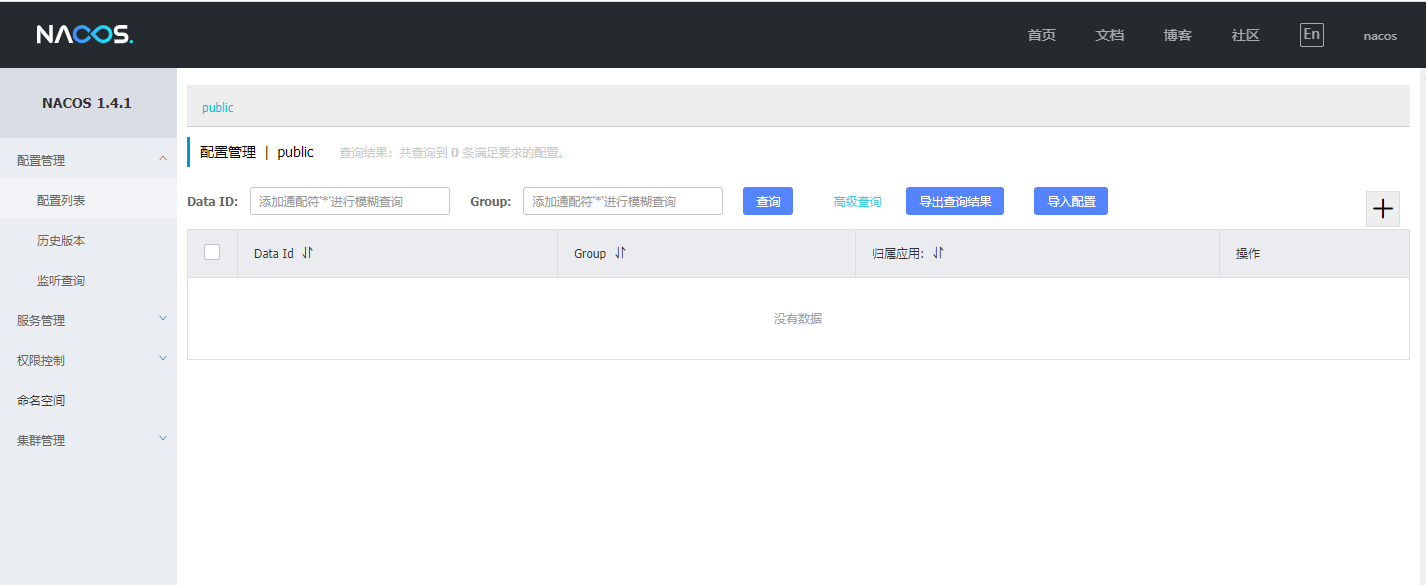
浏览器输入 http://localhost:8848/nacos/ 访问nacos

账号和密码默认是 nacos

注册一个服务进nacos

完整代码示例

添加依赖

1
2
3
4
5
6
7
8
9
10
11
<dependencies>
<dependency>
<groupId>com.alibaba.cloud</groupId>
<artifactId>spring-cloud-starter-alibaba-nacos-discovery</artifactId>
</dependency>

<dependency>
<groupId>org.springframework.boot</groupId>
<artifactId>spring-boot-starter-web</artifactId>
</dependency>
</dependencies>

修改 application.yml

1
2
3
4
5
6
7
8
9
10
11
server:
port: 27991
spring:
# 服务名
application:
name: nacos-example-one
# 注册中心nacos地址
cloud:
nacos:
discovery:
server-addr: 192.168.100.14:8848

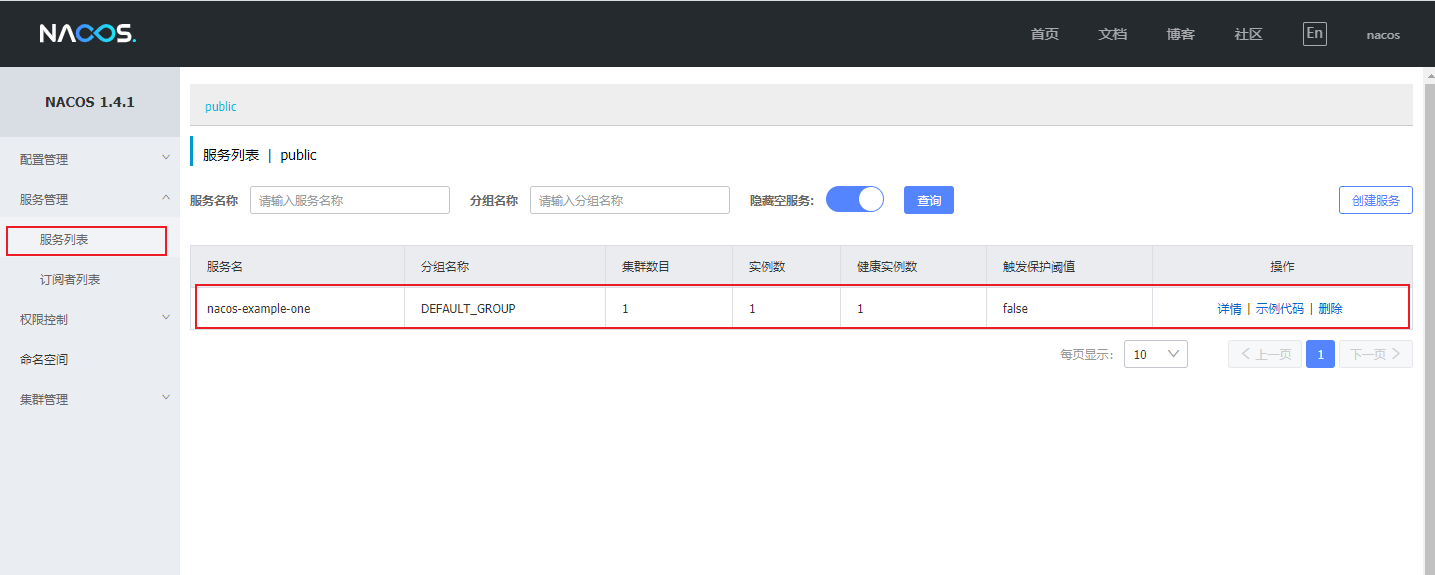
启动服务后,打开控制台,看到自己注册的服务名,表示成功注册

客户端配置属性

配置项 key 默认值 说明
服务端地址 spring.cloud.nacos.discovery.server-addr localhost:8848 Nacos Server 启动监听的ip地址和端口,可以写多个地址,用逗号分割
用户名 spring.cloud.nacos.discovery.username 要打开才生效
密码 spring.cloud.nacos.discovery.password 要打开才生效
接入点 spring.cloud.nacos.discovery.endpoint 地域的某个服务的入口域名,通过此域名可以动态地拿到服务端地址
命名空间 spring.cloud.nacos.discovery.namespace 常用场景之一是不同环境的注册的区分隔离,例如开发测试环境和生产环境的资源(如配置、服务)隔离等,clinet端不填,服务端默认给public
nacos watch spring.cloud.nacos.discovery.watch-delay 30000ms todo
是否开启Nacos Watch spring.cloud.nacos.discovery.watch.enabled true 可以设置成false来关闭 watch
日志文件名 spring.cloud.nacos.discovery.log-name
服务名 spring.cloud.nacos.discovery.service ${spring.application.name} 注册的服务名
权重 spring.cloud.nacos.discovery.weight 1.0 取值范围 1 到 100,数值越大,权重越大
集群 spring.cloud.nacos.discovery.cluster-name DEFAULT Nacos集群名称
spring.cloud.nacos.discovery.group DEFAULT_GROUP Nacos组名称
服务发现列表缓存预加载 spring.cloud.nacos.discovery.naming-load-cache-at-start false 为true时会先从缓存文件读取服务列表,客户端向服务端请求到的服务列表会写入到缓存文件,等请求到服务列表和当前的列表不同时会重新写入到缓存文件中
元数据 spring.cloud.nacos.discovery.metadata {preserved.register.source=
SPRING_CLOUD}
使用Map格式配置,用户可以根据自己的需要自定义一些和服务相关的元数据信息
是否启动注册 spring.cloud.nacos.discovery.register-enabled true 为true服务启动时会自动注册进注册中心
注册客户端的IP地址 spring.cloud.nacos.discovery.ip 分情况 优先级最高,如果没有配置此项,此时网卡名配了,看网卡名说明,否则用
inetUtils.findFirstNonLoopbackHostInfo()
.getIpAddress()生成
网卡名 spring.cloud.nacos.discovery.network-interface 当IP未配置时,注册的IP为此网卡所对应的IP地址,如果此项也未配置,则默认取第一块网卡的地址
注册的客户端端口 spring.cloud.nacos.discovery.port ${server.port} 默认情况下不用配置,会自动探测
todo spring.cloud.nacos.discovery.secure false
AccessKey spring.cloud.nacos.discovery.access-key 当要上阿里云时,阿里云上面的一个云账号名
SecretKey spring.cloud.nacos.discovery.secret-key 当要上阿里云时,阿里云上面的一个云账号密码
客户端心跳间隔 spring.cloud.nacos.discovery.heart-beat-interval 如果不填,服务端会指定默认为5s,客户端5s发送心跳
客户端心跳超时时间 spring.cloud.nacos.discovery.heart-beat-timeout 如果不填,服务端会指定默认为15s,超过15s没有发送心跳,服务端修改客户端状态为不健康,但不会剔除客户端
客户端ip删除时间 spring.cloud.nacos.discovery.ip-delete-timeout 如果不填,服务端会指定默认为30s,超过30s没有发送心跳,服务自动剔除客户端
实例是否启动 spring.cloud.nacos.discovery.instance-enabled true 实例是否启动
是否是非持久化实例 spring.cloud.nacos.discovery.ephemeral true true为非持久化实例,非持久化实例会定期上传心跳,告诉服务端他是健康的

服务端配置

1
2
3
4
5
6
7
8
9
10
11
12
13
14
15
16
17
18
19
20
21
22
23
24
25
26
27
28
29
30
31
32
33
34
35
36
37
38
39
40
41
42
43
44
45
46
47
48
49
50
51
52
53
54
55
56
57
58
59
60
61
62
63
64
65
66
67
68
69
70
71
72
73
74
75
76
77
78
79
80
81
82
83
84
85
86
87
88
89
90
91
92
93
94
95
96
97
98
99
100
101
102
103
104
105
106
107
108
109
110
111
112
113
114
115
116
117
118
119
120
121
122
123
124
125
126
127
128
129
130
131
132
133
134
135
136
137
138
139
140
141
142
143
144
145
146
147
148
149
150
151
152
153
154
155
156
157
158
159
160
161
162
163
164
165
166
167
168
169
170
171
172
173
174
175
176
177
178
179
180
181
#*************** Spring Boot Related Configurations ***************#
### Default web context path:
server.servlet.contextPath=/nacos
### Default web server port:
server.port=8848

#*************** Network Related Configurations ***************#
### If prefer hostname over ip for Nacos server addresses in cluster.conf:
# nacos.inetutils.prefer-hostname-over-ip=false

### Specify local server's IP:
# nacos.inetutils.ip-address=


#*************** Config Module Related Configurations ***************#
### If use MySQL as datasource:
# spring.datasource.platform=mysql

### Count of DB:
# db.num=1

### Connect URL of DB:
# db.url.0=jdbc:mysql://127.0.0.1:3306/nacos?characterEncoding=utf8&connectTimeout=1000&socketTimeout=3000&autoReconnect=true&useUnicode=true&useSSL=false&serverTimezone=UTC
# db.user.0=nacos
# db.password.0=nacos

### Connection pool configuration: hikariCP
db.pool.config.connectionTimeout=30000
db.pool.config.validationTimeout=10000
db.pool.config.maximumPoolSize=20
db.pool.config.minimumIdle=2

#*************** Naming Module Related Configurations ***************#
### Data dispatch task execution period in milliseconds:
### 同步实例信息到其他Server时间间隔
# nacos.naming.distro.taskDispatchPeriod=200

### Data count of batch sync task:
# nacos.naming.distro.batchSyncKeyCount=1000

### Retry delay in milliseconds if sync task failed:
### 同步实例信息到其他Server任务失败后,任务重试间隔
# nacos.naming.distro.syncRetryDelay=5000

### If enable data warmup. If set to false, the server would accept request without local data preparation:
# nacos.naming.data.warmup=true

### If enable the instance auto expiration, kind like of health check of instance:
### 为true超过实例删除超时时间会自动剔除实例,false只是会设置实例不健康,不会剔除实例
# nacos.naming.expireInstance=true

nacos.naming.empty-service.auto-clean=true
nacos.naming.empty-service.clean.initial-delay-ms=50000
nacos.naming.empty-service.clean.period-time-ms=30000


#*************** CMDB Module Related Configurations ***************#
### The interval to dump external CMDB in seconds:
# nacos.cmdb.dumpTaskInterval=3600

### The interval of polling data change event in seconds:
# nacos.cmdb.eventTaskInterval=10

### The interval of loading labels in seconds:
# nacos.cmdb.labelTaskInterval=300

### If turn on data loading task:
# nacos.cmdb.loadDataAtStart=false


#*************** Metrics Related Configurations ***************#
### Metrics for prometheus
#management.endpoints.web.exposure.include=*

### Metrics for elastic search
management.metrics.export.elastic.enabled=false
#management.metrics.export.elastic.host=http://localhost:9200

### Metrics for influx
management.metrics.export.influx.enabled=false
#management.metrics.export.influx.db=springboot
#management.metrics.export.influx.uri=http://localhost:8086
#management.metrics.export.influx.auto-create-db=true
#management.metrics.export.influx.consistency=one
#management.metrics.export.influx.compressed=true


#*************** Access Log Related Configurations ***************#
### If turn on the access log:
server.tomcat.accesslog.enabled=true

### The access log pattern:
server.tomcat.accesslog.pattern=%h %l %u %t "%r" %s %b %D %{User-Agent}i %{Request-Source}i

### The directory of access log:
server.tomcat.basedir=


#*************** Access Control Related Configurations ***************#
### If enable spring security, this option is deprecated in 1.2.0:
#spring.security.enabled=false

### The ignore urls of auth, is deprecated in 1.2.0:
nacos.security.ignore.urls=/,/error,/**/*.css,/**/*.js,/**/*.html,/**/*.map,/**/*.svg,/**/*.png,/**/*.ico,/console-ui/public/**,/v1/auth/**,/v1/console/health/**,/actuator/**,/v1/console/server/**

### The auth system to use, currently only 'nacos' is supported:
nacos.core.auth.system.type=nacos

### If turn on auth system:
### 开启安全功能
nacos.core.auth.enabled=false

### The token expiration in seconds:
### token 过期时间
nacos.core.auth.default.token.expire.seconds=18000

### The default token:
nacos.core.auth.default.token.secret.key=SecretKey012345678901234567890123456789012345678901234567890123456789

### Turn on/off caching of auth information. By turning on this switch, the update of auth information would have a 15 seconds delay.
nacos.core.auth.caching.enabled=true

### Since 1.4.1, Turn on/off white auth for user-agent: nacos-server, only for upgrade from old version.
### 这是bug,要设置为false
nacos.core.auth.enable.userAgentAuthWhite=true

### Since 1.4.1, worked when nacos.core.auth.enabled=true and nacos.core.auth.enable.userAgentAuthWhite=false.
### The two properties is the white list for auth and used by identity the request from other server.
### nacos.core.auth.enabled 为true时要设置
nacos.core.auth.server.identity.key=
nacos.core.auth.server.identity.value=

#*************** Istio Related Configurations ***************#
### If turn on the MCP server:
nacos.istio.mcp.server.enabled=false


###*************** Add from 1.3.0 ***************###


#*************** Core Related Configurations ***************#

### set the WorkerID manually
# nacos.core.snowflake.worker-id=

### Member-MetaData
# nacos.core.member.meta.site=
# nacos.core.member.meta.adweight=
# nacos.core.member.meta.weight=

### MemberLookup
### Addressing pattern category, If set, the priority is highest
# nacos.core.member.lookup.type=[file,address-server]
## Set the cluster list with a configuration file or command-line argument
# nacos.member.list=192.168.16.101:8847?raft_port=8807,192.168.16.101?raft_port=8808,192.168.16.101:8849?raft_port=8809
## for AddressServerMemberLookup
# Maximum number of retries to query the address server upon initialization
# nacos.core.address-server.retry=5
## Server domain name address of [address-server] mode
# address.server.domain=jmenv.tbsite.net
## Server port of [address-server] mode
# address.server.port=8080
## Request address of [address-server] mode
# address.server.url=/nacos/serverlist

#*************** JRaft Related Configurations ***************#

### Sets the Raft cluster election timeout, default value is 5 second
# nacos.core.protocol.raft.data.election_timeout_ms=5000
### Sets the amount of time the Raft snapshot will execute periodically, default is 30 minute
# nacos.core.protocol.raft.data.snapshot_interval_secs=30
### raft internal worker threads
# nacos.core.protocol.raft.data.core_thread_num=8
### Number of threads required for raft business request processing
# nacos.core.protocol.raft.data.cli_service_thread_num=4
### raft linear read strategy. Safe linear reads are used by default, that is, the Leader tenure is confirmed by heartbeat
# nacos.core.protocol.raft.data.read_index_type=ReadOnlySafe
### rpc request timeout, default 5 seconds
# nacos.core.protocol.raft.data.rpc_request_timeout_ms=5000
spring-cloud-starter-alibaba-nacos-discovery

1
2
3
4
5
6
7
8
com.alibaba.cloud.nacos.discovery.reactive.NacosReactiveDiscoveryClientConfiguration,\
com.alibaba.cloud.nacos.endpoint.NacosDiscoveryEndpointAutoConfiguration,\
com.alibaba.cloud.nacos.discovery.configclient.NacosConfigServerAutoConfiguration,\
com.alibaba.cloud.nacos.NacosServiceAutoConfiguration
com.alibaba.cloud.nacos.discovery.NacosDiscoveryAutoConfiguration,\
com.alibaba.cloud.nacos.registry.NacosServiceRegistryAutoConfiguration,\
com.alibaba.cloud.nacos.discovery.NacosDiscoveryClientConfiguration,\
com.alibaba.cloud.nacos.ribbon.RibbonNacosAutoConfiguration,\

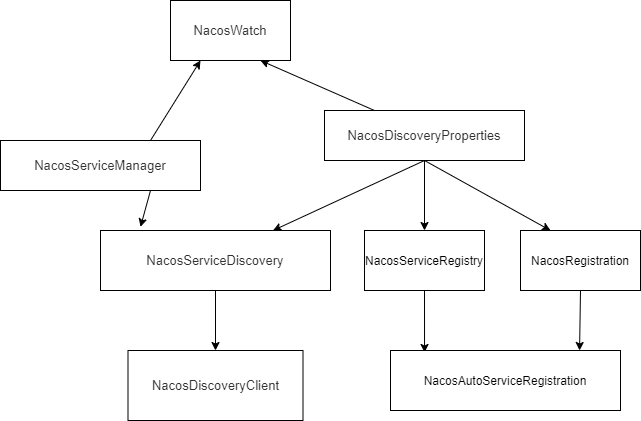
重点关注这个 NacosAutoServiceRegistration 类

NacosAutoServiceRegistration 继承 AbstractAutoServiceRegistration,这个类实现 ApplicationListener
在spring容器初始化时会发送 WebServerInitializedEvent 信号,那么以下的 onApplicationEvent 就会执行

1
2
3
4
5
6
7
8
9
10
11
12
13
14
15
16
17
18
19
20
21
22
23
24
25
26
27
28
29
30
31
32
33
34
35
36
37
38
39
40
41
42
43
44
45
public class NacosAutoServiceRegistration
extends AbstractAutoServiceRegistration<Registration> {

}

public abstract class AbstractAutoServiceRegistration<R extends Registration>
implements AutoServiceRegistration, ApplicationContextAware, ApplicationListener<WebServerInitializedEvent> {
public void onApplicationEvent(WebServerInitializedEvent event) {
this.bind(event);
}

@Deprecated
public void bind(WebServerInitializedEvent event) {
ApplicationContext context = event.getApplicationContext();
if (!(context instanceof ConfigurableWebServerApplicationContext) || !"management".equals(((ConfigurableWebServerApplicationContext)context).getServerNamespace())) {
this.port.compareAndSet(0, event.getWebServer().getPort());
this.start();
}
}

public void start() {
if (!this.isEnabled()) {
if (logger.isDebugEnabled()) {
logger.debug("Discovery Lifecycle disabled. Not starting");
}

} else {
if (!this.running.get()) {
this.context.publishEvent(new InstancePreRegisteredEvent(this, this.getRegistration()));
this.register();
if (this.shouldRegisterManagement()) {
this.registerManagement();
}

this.context.publishEvent(new InstanceRegisteredEvent(this, this.getConfiguration()));
this.running.compareAndSet(false, true);
}

}
}

protected void register() {
this.serviceRegistry.register(this.getRegistration());
}
}
1
2
3
4
5
6
7
8
9
10
11
12
13
14
15
16
17
18
19
20
21
22
23
24
25
26
27
28
29
30
31
32
33
34
35
36
37
38
39
40
41
42
43
44
45
46
47
48
49
50
51
52
53
54
55
56
57
58
59
60
61
62
63
64
65
66
67
68
69
70
public class NacosServiceRegistry implements ServiceRegistry<Registration> {

// 注册实例进 nacos
@Override
public void register(Registration registration) {

if (StringUtils.isEmpty(registration.getServiceId())) {
log.warn("No service to register for nacos client...");
return;
}

//获取 NamingService
NamingService namingService = namingService();
String serviceId = registration.getServiceId();
String group = nacosDiscoveryProperties.getGroup();

Instance instance = getNacosInstanceFromRegistration(registration);

try {
//这个方法注册进 nacos
namingService.registerInstance(serviceId, group, instance);
log.info("nacos registry, {} {} {}:{} register finished", group, serviceId,
instance.getIp(), instance.getPort());
} catch (Exception e) {
log.error("nacos registry, {} register failed...{},", serviceId,
registration.toString(), e);
// rethrow a RuntimeException if the registration is failed.
// issue : https://github.com/alibaba/spring-cloud-alibaba/issues/1132
rethrowRuntimeException(e);
}
}

private NamingService namingService() {
return nacosServiceManager
.getNamingService(nacosDiscoveryProperties.getNacosProperties());
}
}

public class NacosServiceManager {
private NamingService namingService;

//获取 NamingService,如果没有就创建
public NamingService getNamingService(Properties properties) {
if (Objects.isNull(this.namingService)) {
buildNamingService(properties);
}
return namingService;
}
//双重检测
private NamingService buildNamingService(Properties properties) {
if (Objects.isNull(namingService)) {
synchronized (NacosServiceManager.class) {
if (Objects.isNull(namingService)) {
namingService = createNewNamingService(properties);
}
}
}
return namingService;
}

private NamingService createNewNamingService(Properties properties) {
try {
//创建 createNamingService
return createNamingService(properties);
}
catch (NacosException e) {
throw new RuntimeException(e);
}
}
}